BPO Reporting Dashboard: What Owners, Managers, and Supervisors Need
Learn what a BPO reporting dashboard should show owners, managers, and supervisors across agents, queues, follow-ups, attendance, and service work.
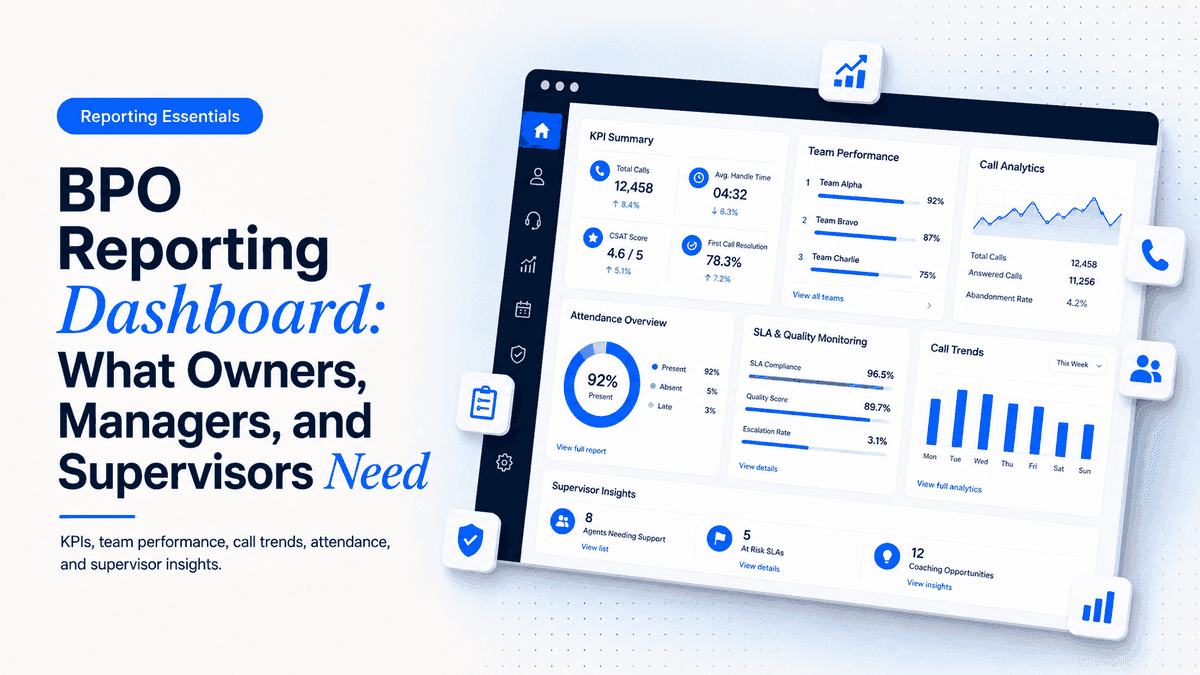
BPO reporting dashboard is a practical decision about control, visibility, and daily execution. For owners, managers, and supervisors who need different views of customer work, agent activity, and workforce pressure, the right setup is the one that keeps customer work, agent activity, workforce records, and manager review in one clear operating flow instead of spreading decisions across disconnected tools.
What BPO reporting dashboard means for BPO teams
In a BPO or call center, software is not only a place to store data. It is the daily operating system for agents, supervisors, HR, and management. The question behind this topic is simple: can the team see what happened, who owns the next action, and where the next operational risk is?
This is why Telvora content treats BPO reporting dashboard as part of the wider BPO operations platform. CRM, dialer workflows, monitoring, attendance management, HRMS, managed VPN, Data Refine, chat, reporting, and upcoming native VoIP all touch the same management problem: disconnected workflows make it harder to run a clean service operation.
Why this problem appears as the team grows
The early version of a BPO is usually simple. A few agents can work from spreadsheets, messages, basic calling tools, and manual manager review. That setup starts to break when shifts increase, campaigns overlap, customers need follow-up, HR records expand, and managers need reports without stopping the team for updates.
For this topic, the main warning sign is that owners receive too much detail, supervisors receive too little live context, and managers spend time joining CRM, dialer, monitoring, attendance, and HR reports. When that happens, the issue is no longer only about a missing feature. It becomes a control problem that affects customer experience, team accountability, reporting speed, and owner confidence.
Teams often try to fix this by adding another sheet, another approval message, or another standalone tool. That can help for a week, but it usually creates another place where data must be copied, cleaned, checked, and explained. A stronger approach is to design the workflow around the manager decision that needs to happen every day.
Separated reports vs Role-based dashboard
The comparison below shows the operational difference buyers should look for. A good system does not only record activity; it makes the next action visible and gives managers a cleaner way to review the work.
| Area | Separated reports | Role-based dashboard |
|---|---|---|
| Owner | Receives raw operational detail | Sees summary, risk, and trend signals |
| Manager | Joins reports manually | Reviews workload and follow-up pressure |
| Supervisor | Acts without live context | Sees agent state and queue movement |
| HR/Ops | Checks attendance separately | Reviews workforce exceptions with operations context |
Checklist: signs you should upgrade the workflow
Use this checklist before buying or rebuilding anything. If several points are true, the team needs a more structured operating workflow, not only a cosmetic dashboard.
- Owner view for operational summary.
- Manager view for workload and follow-ups.
- Supervisor view for queues and agent state.
- Attendance exception visibility.
- CRM and call outcome reporting.
The checklist is also useful for implementation planning. Each point can become a requirement, an owner, and a test case during rollout. That keeps the discussion specific and prevents the project from becoming a vague software replacement.
How to choose the right setup
Start by mapping the workflow from the agent's first action to the manager's final review. For example, a customer call should connect to a customer record, a disposition, a note, a possible follow-up task, and a manager view. Attendance should connect to shifts, leaves, exceptions, and HR records. Data cleanup should happen before calling, not after agents waste time on bad lists.
Then decide which system should be the source of truth. For customer operations, that is usually CRM. For calling, it is the dialer workflow connected to CRM. For workforce records, it is HRMS and attendance management. For oversight, it is monitoring and reporting. If there is no source of truth, every report becomes a negotiation between tools.
Finally, avoid overbuilding. A new or growing BPO does not need every enterprise feature on day one. It needs the right control points: clear ownership, clean records, consistent workflows, role-based access, and reports that managers actually review.
Internal links for the next step
If this is your current bottleneck, start with the most relevant Telvora service page: BPO reporting dashboard. For the connected workflow, also review the related Telvora service. If you are still deciding which module should come first, use the full Telvora services overview or book a demo so the setup can be mapped around your team.
Implementation plan for BPO teams
- Document the current workflow. Write down where the work starts, which team owns it, which tools are involved, and where managers currently lose visibility.
- Define the required fields. Decide which customer, call, attendance, HR, access, or reporting fields must be captured every time.
- Set roles and permissions. Separate agent, supervisor, HR, admin, and owner views so each person can act without unnecessary access.
- Pilot with one team or shift. Test the workflow with a small group before changing the whole operation.
- Review reports weekly. Check whether the new workflow reduces manual follow-up, unclear ownership, and reporting delays.
How Telvora helps
Telvora is built for BPO and service operations teams that need customer, calling, workforce, HR, access, data quality, and reporting workflows to move together. Instead of positioning one module as the whole answer, Telvora connects the operating layer around how managers actually run call center and BPO teams.
For teams evaluating BPO reporting dashboard, the practical goal is not to add software for its own sake. The goal is to reduce scattered work, create clearer accountability, and give managers a reliable view of what needs attention. Telvora supports that through CRM, dialer workflows, monitoring, attendance management, HRMS, chat, managed VPN, Data Refine, reporting, and upcoming native VoIP.
Review the most relevant Telvora module, then contact Telvora to map the right implementation path for your BPO or call center.
FAQs
What should a BPO dashboard include?
It should include customer work, call outcomes, agent state, queues, follow-ups, attendance exceptions, and manager-ready reports.
Do owners and supervisors need the same dashboard?
No. Owners need summary visibility, while supervisors need live operational detail for daily action.
Can attendance and CRM reporting appear together?
Yes. A connected BPO platform can show workforce and customer workflow signals in the same management context.
Why use role-based dashboards?
Role-based dashboards keep each user focused on the decisions they actually need to make.